
Necessity: The Mother of Invention
I’ve made it public (at least to the Facebook world) that I suffer from a chronic neurological condition. It manifests itself mostly as a tremor in my (dominant) right hand, which can make my handwriting illegible at times. This is necessary to read the scores I write while running side events (like brackets) at bowling leagues and tournaments. One of those came up over the weekend, our local association’s championship tournament.
As we’re hosting our state tournament next year, I knew I may need to run side events for it. With my tremor not getting any better, I needed alternatives to pen and paper. I recently purchased an Android tablet. I had the idea to use it in place of a clipboard, pen, and paper. I set up a scoresheet in a worksheet in Excel on the laptop, Google Sheets on the tablet. The tablet would get each squad’s scoresheet from a copy from the laptop stored on Google Drive.
When it rains, it pours
Modernizing the score collection process challenged me to think about other ways to modernize the operation. My tremor made it more tedious to put up the bracket sheets. My attention turned to getting results available online.
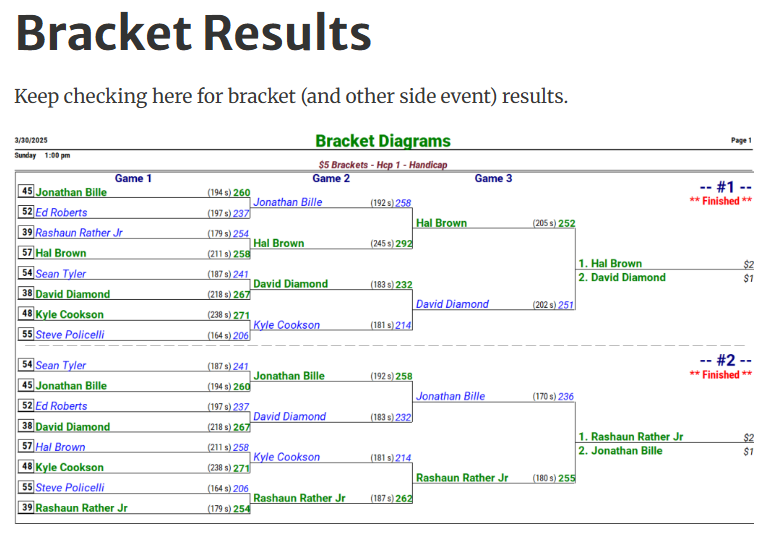
I had the older T-Brac Pro (CDE Software’s application for running side events), but this was really enough. T-Brac has all of the output options available to me, including PNG images. The images with the bracket diagrams are then uploaded to the host this site is on as a gallery. Finally, I needed to point the bowlers to the results page. To do that, I posted a QR code where we’d normally put the brackets up.
Trial and error
The last thing I had to think about was taking entries. My thoughts were drawn to a Google Sheet worksheet. I got the idea from a karaoke host online who uses one as a song request sheet. When I tried that, I observed that the worksheet wasn’t updating on my end.
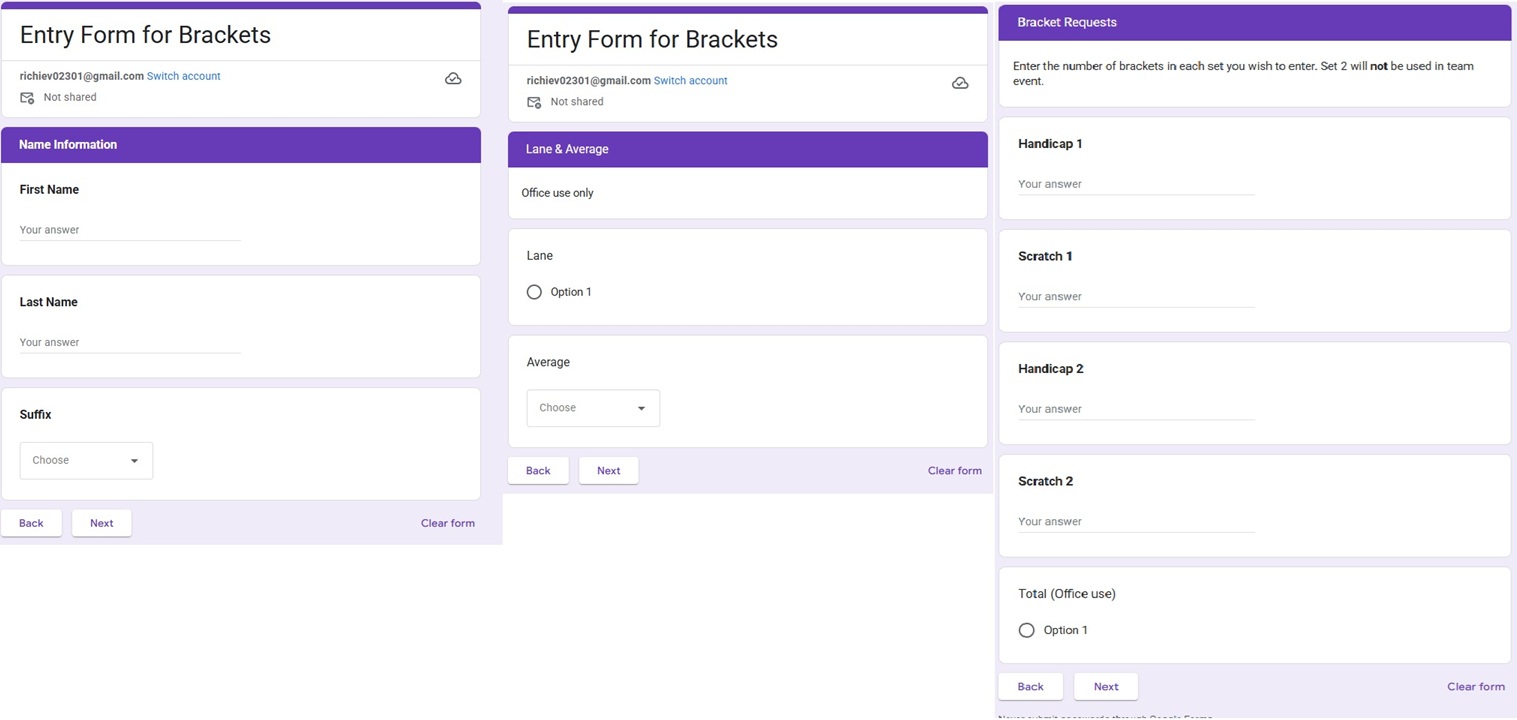
I got the idea that a Google Form can send one line at a time to a CSV file. In testing, I saw that you can get a spreadsheet with the responses. I designed a form like the print entry form, including dummy “office use only” fields. I made this form available via QR code, as well. While I found that T-Brac (at least my version) couldn’t import the bracket request fields, you can import everything else.
Old meets new
What I observed on Sunday was that the worksheet was updated in real time. You can also make edits to the sheet. If you have the bowlers’ lane assignments and averages, you can add those at this time. Your ability to edit the online sheet enables something else. Some people will still be uncomfortable with technology. You can still take traditional paper entries. Make sure the traditional ones are clear of the online until you close the entries. After closing, merge the two entry types to the same range via copy/paste.
The final things to do before collecting scores are to download the final sheet and import it into T-Brac. Next, enter the bracket requests in T-Brac. Set up the scoresheet on the tablet by copying and pasting the range into the laptop’s sheet. This will update on the tablet via the cloud. You also need to shuffle and post the starting brackets.
Summary
Was it completely paperless? No, and, in fact, I knew going in that I’d still have to print out a paper payout sheet. I succeeded in modernizing what I could. I can now consider myself ready to run side events at next year’s state tournament, our most important event. I hope I get the opportunity.
Solving my physical limitation spurred some thought about getting around them with technology. This solution sparked other ideas for improvement. Have you turned to technology to adapt to a physical limitation? I’d like to hear about it. I hope some of you learned from me and I hope I can learn likewise from you.
 The Tenth Board
You must be logged in to post a comment.